GPS Altimeter · Apple Watch

Live altitude on
every trip

Precise altitude with barometric calibration, climb and descent rate, an Apple Watch app and tour recording – all in one app. No tracking, no ads.

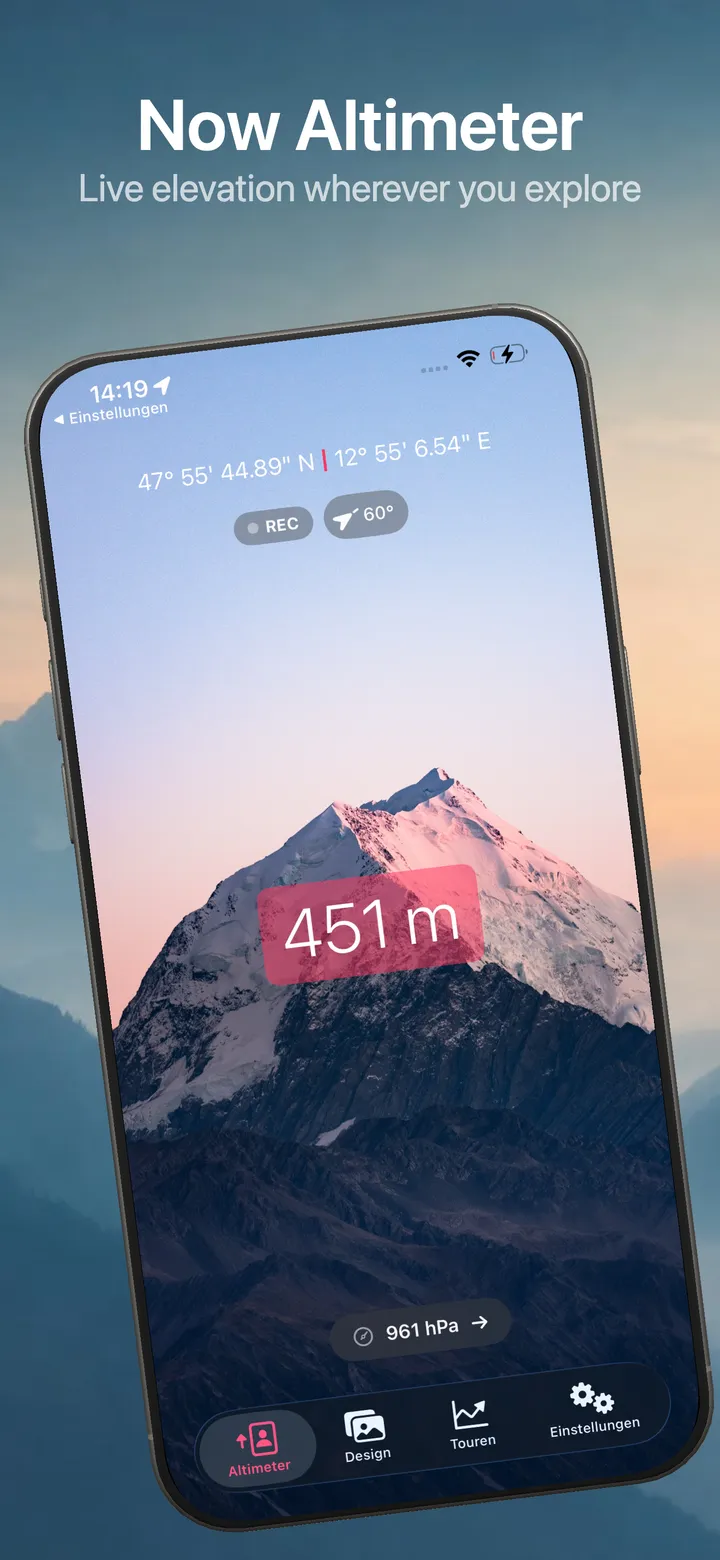
Now Altimeter – main view
6
Designs to choose from
0
Tracking & data selling
3
Tours to record for free
Privacy

Outdoor data without data collection

Offline. No ads. No tracking. Now Altimeter collects no personal data and shares nothing – the App Store privacy label explicitly reads “Data Not Collected”. GPS and barometer run exclusively on your device.

No trackingNo adsWorks offlineNo cloud
New in 3.6

Altitude, accurate to a few metres

Version 3.6 turns the GPS altimeter into a barometric one: calibrate it once, read it precisely – and always see where the number is coming from.

Calibrate your altitude Pro

Tap the altitude and enter a value you know – a summit marker, a trail sign, your own address – or the QNH from a weather report. The app then works barometrically, to within a few metres instead of the 10 to 30 of plain GPS.
Climb and descent rate Pro

Vertical speed in m/min or ft/min, right next to the air pressure. The number ski touring, mountaineering and paragliding actually think in.

You can see how accurate the reading is

Below the altitude it says where it comes from: “GPS · ±12 m” or “Barometric, calibrated”. No more numbers without context.

Elevation gain you can trust

Ascent and descent used to come from GPS altitude and collected all of its noise. They now come from the pressure sensor – a tour recorded while sitting still no longer books any elevation at all.

A short intro on first launch

Three pages show what the app can do the first time you open it – and that your first three tours are free.

Feature 01

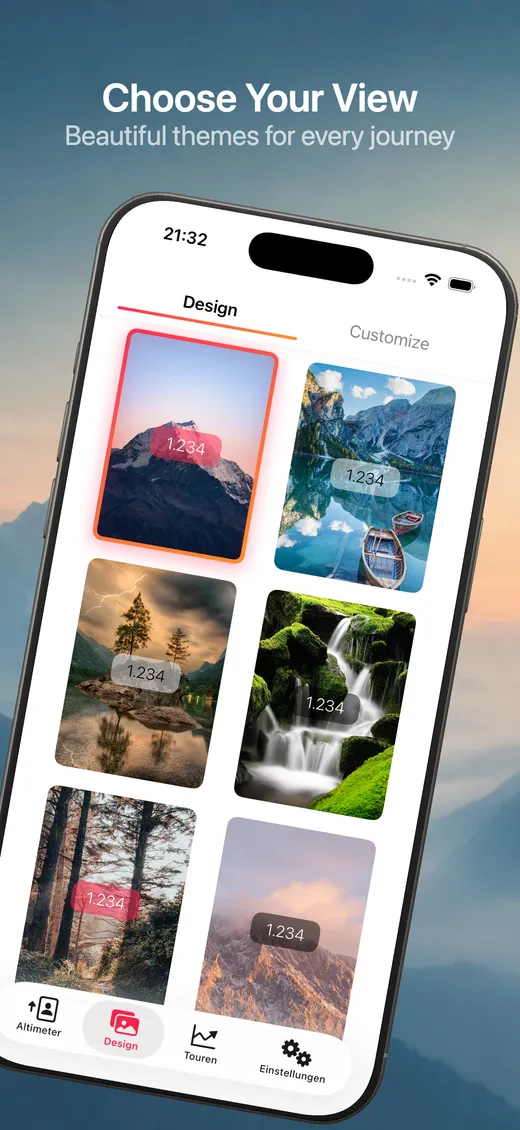
Pick your design

Six atmospheric backdrops turn your altimeter into a true experience – from alpine panorama to mountain lake to waterfall. A different image for every tour.

Selection of designs for the main altimeter view
Feature 02

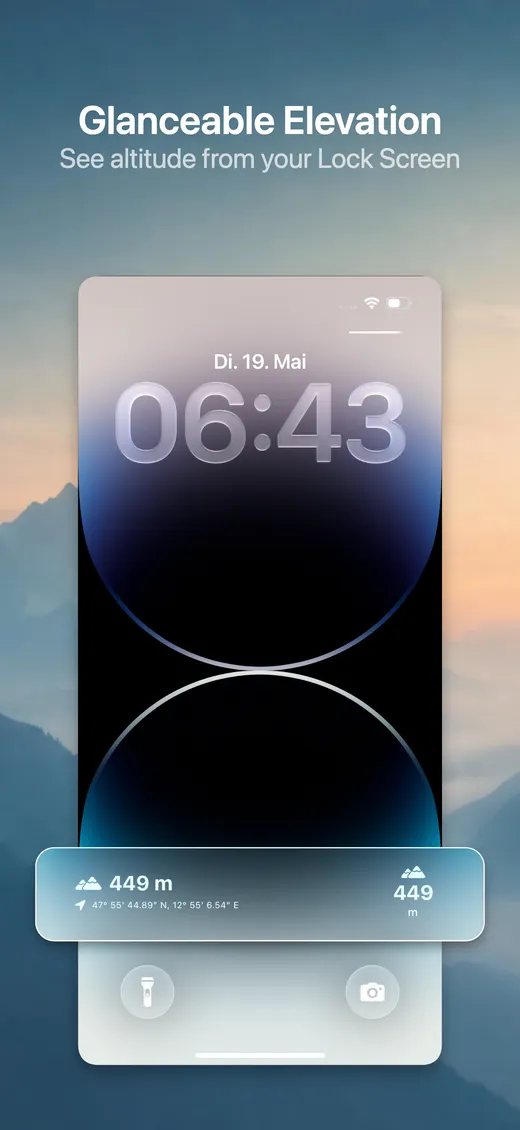
Altitude on the lock screen

The lock screen widgets show your current altitude right next to the clock – as a circle, a rectangle or a single line. No tapping, no opening: your altitude is simply there.

Altitude widget on the iPhone lock screen
Feature 03

Apple Watch app

The native Now Altimeter app for Apple Watch shows altitude, air pressure and coordinates straight on your wrist – no need to pull out your iPhone. Plus watch face complications and tour recording you start and stop from the watch.

Apple Watch displaying altitude and GPS coordinates
Feature 04

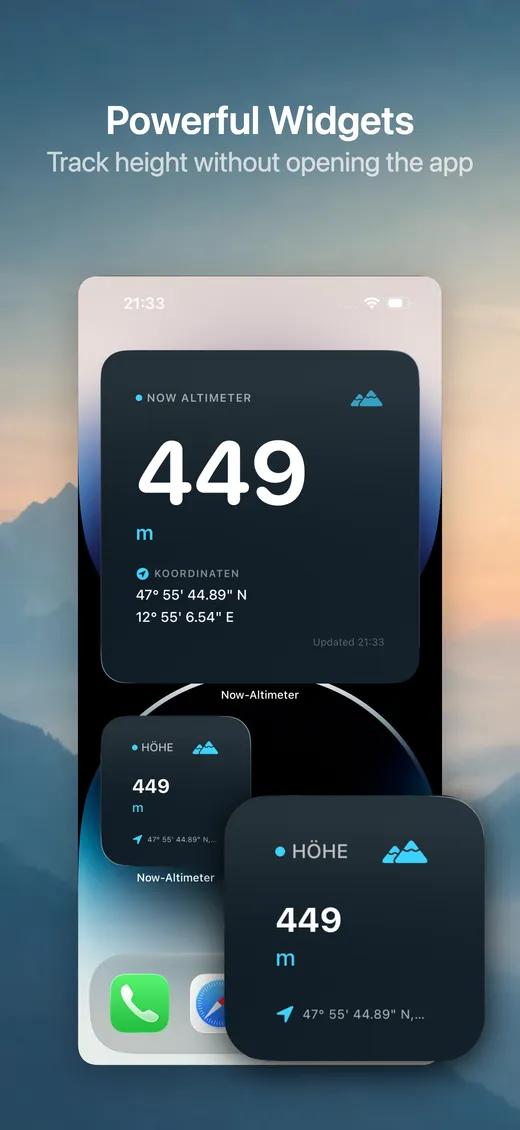
Powerful widgets

Small, medium and large for your home screen, plus the compact lock screen formats. Altitude, coordinates, air pressure and compass heading always at hand – without ever opening the app.

iPhone home screen with Now Altimeter widgets in several sizes
Feature 05

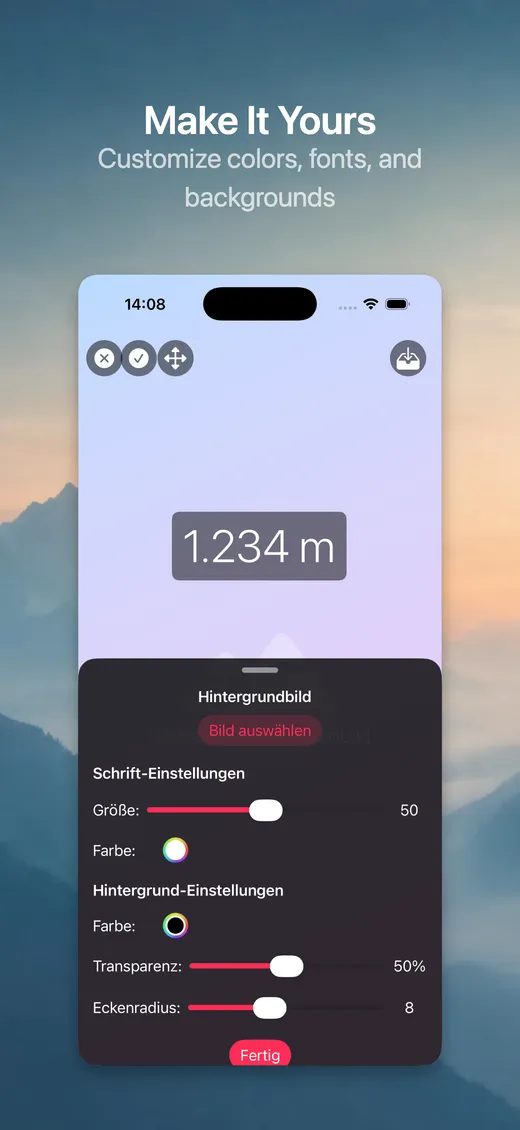
Make it yours

Adjust font size, colours, transparency and background images however you like, and save as many designs of your own as you want. The design editor is part of Pro.

Customizing screen for adjusting font, colors and background
Feature 06

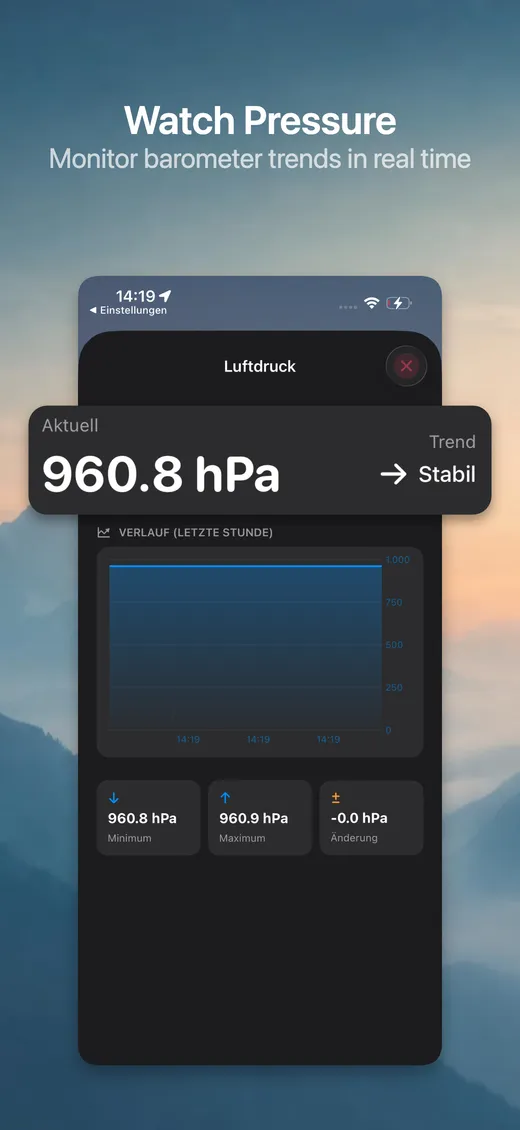
Air pressure in view

Track barometer trends in real time. The history graph for the last 60 minutes, with minimum, maximum and change, helps you spot weather shifts early. Right above it sits your climb and descent rate.

Barometer view with air-pressure history graph
Feature 07

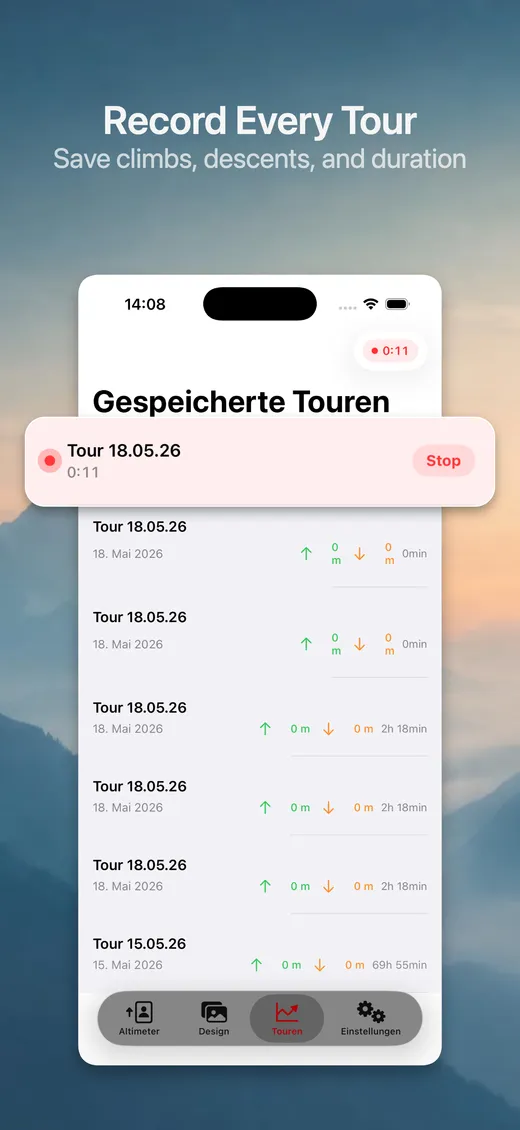
Record every tour

Tap REC, start walking, done. Your first three tours are free. Ascent and descent come from the pressure sensor instead of GPS noise – elevation numbers that actually hold up. Recording keeps running in the background, even with the display switched off.

Tour recording overview with saved tours
Feature 08

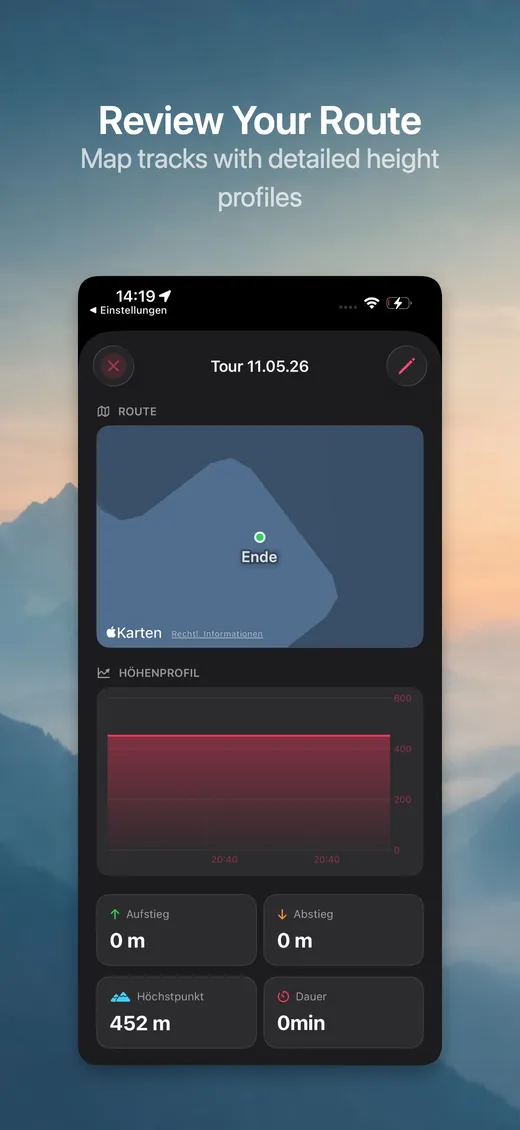
Review your route

After every tour: a detailed map view of your route with the full elevation profile, peak altitude and duration. Export it as GPX – compatible with Strava, Komoot and Garmin Connect.

Detailed route view with elevation profile on the map
PRO

Now Altimeter Pro

For serious outdoor adventures

Altitude calibrationQNH or a known altitude – accurate to a few metres
Climb and descent rateVertical speed in m/min or ft/min
Barometer & weather trendAir pressure with 1-hour history and tendency
Unlimited tour recordingBeyond the 3 free tours, with GPX export
Apple Watch appAltitude, barometer and compass on your wrist
Compass & UTM coordinatesGPS data in all formats
Design editorYour own backgrounds & colours
Monthly€2.99per month

Frequently asked questions

How accurate is the altitude measurement?

Plain GPS scatters by 10 to 30 metres depending on reception. Calibrate the altitude once against a value you know – a summit marker, a trail sign, your own address – or enter the QNH from a weather report, and Now Altimeter works barometrically and shows altitude to within a few metres. The line below the number always tells you which source is currently active.

What's free, and what do I need Pro for?

Free: live altitude, coordinates in DMS, decimal degrees and UTM, six background designs, the home and lock screen widgets, and your first three recorded tours including map, elevation profile and GPX export. Pro unlocks altitude calibration, climb and descent rate, the barometer, the compass, unlimited tour recording, the Apple Watch app and the design editor.

Does the altimeter also work without an internet connection?

Yes – Now Altimeter works fully offline. GPS and barometer run locally on the device. No Wi-Fi or cellular connection required. Perfect for alpine regions and areas without coverage.

Is there an Apple Watch app?

Yes – Now Altimeter Pro includes a native Apple Watch app. You see altitude, air pressure, compass and coordinates straight on your wrist, start and stop tours from the watch, and can put complications on your watch face.

What's the difference between GPS altitude and barometric altitude – and what is QNH?

GPS provides absolute altitude above sea level but scatters noticeably when reception is poor. The barometer sensor detects changes in altitude very precisely but has no reference point – that's what you supply when you calibrate. QNH is the air pressure from a weather report reduced to sea level. Now Altimeter stores it, so your calibration survives a restart of the app.

Can I record hikes and view the elevation profile?

Yes – the first three tours for free, unlimited with Pro. One tap on REC is enough. The app saves ascent, descent, peak altitude, the route and duration; afterwards you see route and elevation profile in detail on the map. Ascent and descent are calculated from the pressure sensor, not from GPS altitude.

Can I export my tours?

Yes. Every recorded tour can be shared as a GPX file – compatible with Strava, Komoot, Garmin Connect and any other software that reads GPX. Export works for the three free tours too.

What does Now Altimeter cost?

Now Altimeter is free. Now Altimeter Pro costs €2.99 per month or €22.99 per year – around 36% less than twelve monthly payments. The subscription renews automatically and can be cancelled at any time in your Apple ID settings.

Which iOS version do I need?

Now Altimeter requires iOS 17.0 or later.

Ready for your next tour?

Download for free and get started right away.